Showing posts with label DeltaV Version 11. Show all posts

Monday, June 28, 2010

Remote Terminal, V11, the ProPlus, and Server 2008

Back from vacation (they are never long enough) and I was checking out a new video from Emerson on Human Centered Design in version 11 of DetlaV starring Juan Carlos Bravo.  I wanted to look at one of the features he mentioned (friendly names for modules), so I fired up a remote terminal session to our V11 ProPlus and noticed we didn't have any terminal server sessions defined.

No big deal, I just went back to my .rdp icon on my PC, right clicked, then selected edit.  At the end of the IP address, I dropped in a /admin qualifier so I could take over the box.  Ran the modified .rdp and guess what?  The /admin doesn't work with Server 2008!

So this in an important to note - I know we have customers in our territory who use the /admin to gain remote access to their ProPlus instead of having a extra Pro license and TCAL's.  When migrating to V11, you're going to have to plan for an alternative.  Make sure that's part of your upgrade stratagy.

Here's a link to another blog going into detail about the change in Server 2008.  Thanks, Scott.

And I just had to share a snapshot from my vacation:


Friday, May 14, 2010

2010 UGOC Wrap Up

Well, it’s been a busy couple of days at the 2010 User Group of the Carolinas. We had a pretty packed house and several of the presentations were standing room only. Mark Moore, our Site Services manager, gave a great talk on the comparisons between the XP/Server2003 platform and Windows 7/Server 2008, as DeltaV version 11 moves to the new OS.


The Emerson trio of Mike Lewis, Al Lee, and Gordon Lawther presented on Emerson and DeltaV’s forward direction and an in-depth look at the cost benefits of electronic marshalling – very CHARMing.


And what would a UGOC be without door prizes and food? I’ve struggled to accept the Carolina version of BBQ (everyone knows true BBQ is beef brisket), but I have to admit the pulled pork we had last night was some of the best I’ve ever eaten.


Copies of all the presentations should be up next week at http://www.remservices.com/. In the mean time, enjoy some more snapshots:
 

Monday, April 12, 2010

One More Follow Up for Alarm Help

So one more neat feature about the new Alarm Help in DeltaV V11 - you can change the header for the 3 text field boxes on the popup.

So looking at the Alarm Help popup:


If you don't like the headings Recommended action, Probable cause, and Design information, you can change them by modifying a new supplied Named Set - dv_alm_help_text:


These are global changes, but they do give you some flexibility when setting up your system.  And each text field has its own security setting for even more flexibility.

Wednesday, March 31, 2010

Alarm Help Follow Up

Just a quick follow up to my post yesterday about the new Alarm Help in Version 11 of DeltaV - I got a couple of questions along the lines of "what if we've got VCAT enabled?  Does it still work?"

I'm happy to report it still works fine.  To be sure, I launched DeltaV Operate from the DeltaV Desktop, called up Alarm History from a module faceplate, clicked on the paper and pencil icon, and changed the Consequence of inaction from Severe to Serious and the Recommended action text.  Nothing special happened until I pressed the save button, at which point the standard VCAT Control - Messages dialog box popped up and indicated a check out and an immediate check in of my module:


This is probably something operators have never seen before, but once they understand, I don't think it'll be an issue.  Pressing Download did its usual thing and my change took effect.

So then I was curious (what, me curious?) what a Show Differences from VCAT would look like.  As you might think, there were no visual differences, but switching to textual differences gave me this:


A couple of things to note - the titles of the three text boxes in the Alarm Help are very generic in the schema (Help Text 1, Help Text 2, Help Text 3).  And while this matches the new function security names, they don't match up with the actual Alarm Help dialog.  I'll report this back and see if a change can be put in before the general release of V11.

The other "oh, by the way" is one and only one instance of Alarm Help can be running at a time.  So if Alarm Help has been launched from the Windows Desktop (alarmhelp.exe), it won't launch from the DeltaV Desktop (the reverse is also true).  Just a safety tip.

Tuesday, March 30, 2010

A Helping Hand for Alarms

You might have seen or heard about the new Alarm Help feature included in DeltaV Version 11. Some have referred to it as an alarm wiki – being able to capture the knowledge and experience of your plant’s operation staff to help resolve upsets more quickly.

Primary access for the Alarm Help is from a module’s faceplate. Well, really it’s from the Alarm ActiveX object embedded in the faceplate. This is important, because this ActiveX object is also used to create the overall Alarm Summary display, so access to the Alarm Help is also available from the summary, as well from the Operate toolbar.

And by access, what’s really happening is you’re launching a new application, alarmhelp.exe. Why is this important? Because you can launch alarmhelp.exe outside DeltaV Operate. Let that cook in your brain for a minute.

When you get an alarm on a module that’s not had Alarm Help information previously entered, the faceplate looks like this (I added the red circle):


That sheet of paper and pencil icon is your clue that this alarm hasn’t been wiki-fied. Click on it, and the alarmhelp.exe application launches (I’ve just include the top portion of the Alarm Help dialog):


And even nothing has been setup for this particular alarm yet, you still get info about how long this alarm has been active (3 days, 20 hours, and some change). Now click on the paper and pencil here (with the proper access privileges, of course) and you can begin filling in your alarm help information:


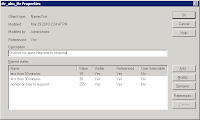
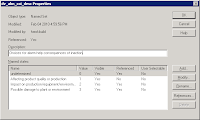
Both the Time to Respond and Consequence of Inaction come from two new named sets:
 
 
You can add to these named sets, but take a close look at the Value column of dv_alm_ttr. Who came up with 10 and 30 for the values? They correspond to the times to respond as suggested by the named set Name. So if you have an alarm that needs to be dealt with in 12 minutes, you’d add a new entry with a value of 12 – neat, huh? And for those of you feverishly doing the math, the maximum response time you can configure is 254 minutes or a little over 4 hours.
 
Once you start to fill in information on the alarm, the grayed out Save button un-grays and can be selected. Pressing Save commits your changes to the module (a quick check of control studio will show Alarm Help is set to True with the text you’ve entered, both online and offline!). But to get DeltaV Operate to know about your changes, you still need to download and you even get the familiar blue triangle next to the Download button:
 
 
You get a confirmation box, letting you know you’re only downloading Alarm help information for the current alarm you’re dealing with:
 
 
And you get a somewhat familiar download progress dialog box:
 
 
Now the paper and pencil on the faceplate have been replaced with a question mark:
 
 
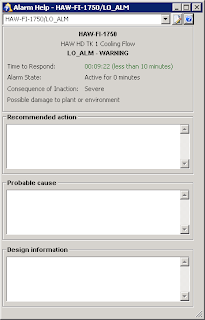
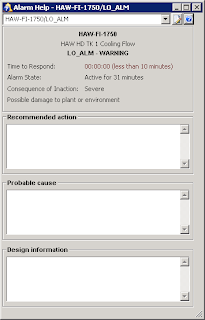
Besides the obvious advantages of the alarm help information, the dynamic timers at the top of pop up give a quick indication of just how long the alarm event has been active. The Time to respond field even changes color from green to red once it counts down to zero:


To faciliate/moderate data entry into the various Alarm Help fields, 6 new security functions have been added, providing a lot of granularity within DeltaV User Manager.  Now how about an Alarm Summary display indicating all critical alarms and their associated durations for Limited Condition of Operation (LCO) applications? I’ve got to go and talk to Drew…