Here’s another cool feature on DeltaV version 10 – maybe enough to get you to run right out and upgrade this week!
Version 10 now supports spanning monitors of DeltaV Operate on a remote terminal session. So for instance, if you connect to a remote session from any old PC with a couple of monitors attached, DeltaV Operate is smart enough to automatically give me a dual head session.
There are a couple of caveats:
Version 10 now supports spanning monitors of DeltaV Operate on a remote terminal session. So for instance, if you connect to a remote session from any old PC with a couple of monitors attached, DeltaV Operate is smart enough to automatically give me a dual head session.
There are a couple of caveats:
- The monitors have to be in the horizontal configuration
- The maximum horizontal pixel width is 4096
The pixel width limitation means you can have 2 widescreen monitors side by side, or 3 1280x1024 monitors, or 4 1024x768 (but nobody uses that anymore, right?).
So you’re asking “Quick, tell me how to do this!” – It’s pretty easy. Most folks are familiar with the Remote Desktop Connection dialog box:
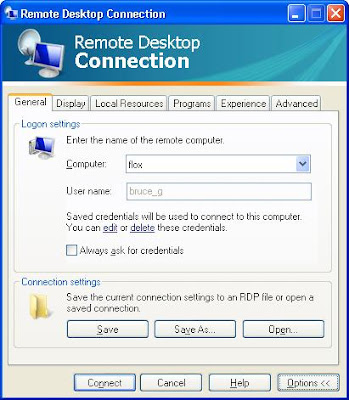
The thing is, there’s this /span option, and it’s not a selection as part of the Desktop dialog box. To use it, you need to use the mstsc command prompt. After creating the above .rdp file, you create a .bat file with the mstsc command:
By double clicking on the .rdp file, you get a single monitor session. Double clicking on the .bat file, you get a double wide!


